Design decisions
Sharing One GPU Across Multiple Services →
How the Compute Foundation and Hardware Work
July 15, 2026Recorded status · Continuously running
Design, deployment, and operation of an information platform independent of external cloud providers.
Build and operate a practical information platform using only home computing resources, without depending on external cloud providers. Design, implementation, and operational monitoring are all handled solo.
Design decisions
How the Compute Foundation and Hardware Work
July 15, 2026Measurements and validation
How Monitoring and Automation Work
August 5, 2026Failures and lessons
How the Compute Foundation and Hardware Work
July 15, 2026Figure 1 — Requests pass only through the encrypted path and reach services isolated at the container level.
Photos, files, and passwords can now be managed securely on a single personal PC, with no monthly subscription fees.
Can now securely reach the home PC from outside through an encrypted path, even while away.
Home appliances can now be controlled by voice.
Server anomalies (low disk space, a stopped service, etc.) are now detected automatically, with notifications sent out.
New services can now be added quickly without breaking the existing setup.
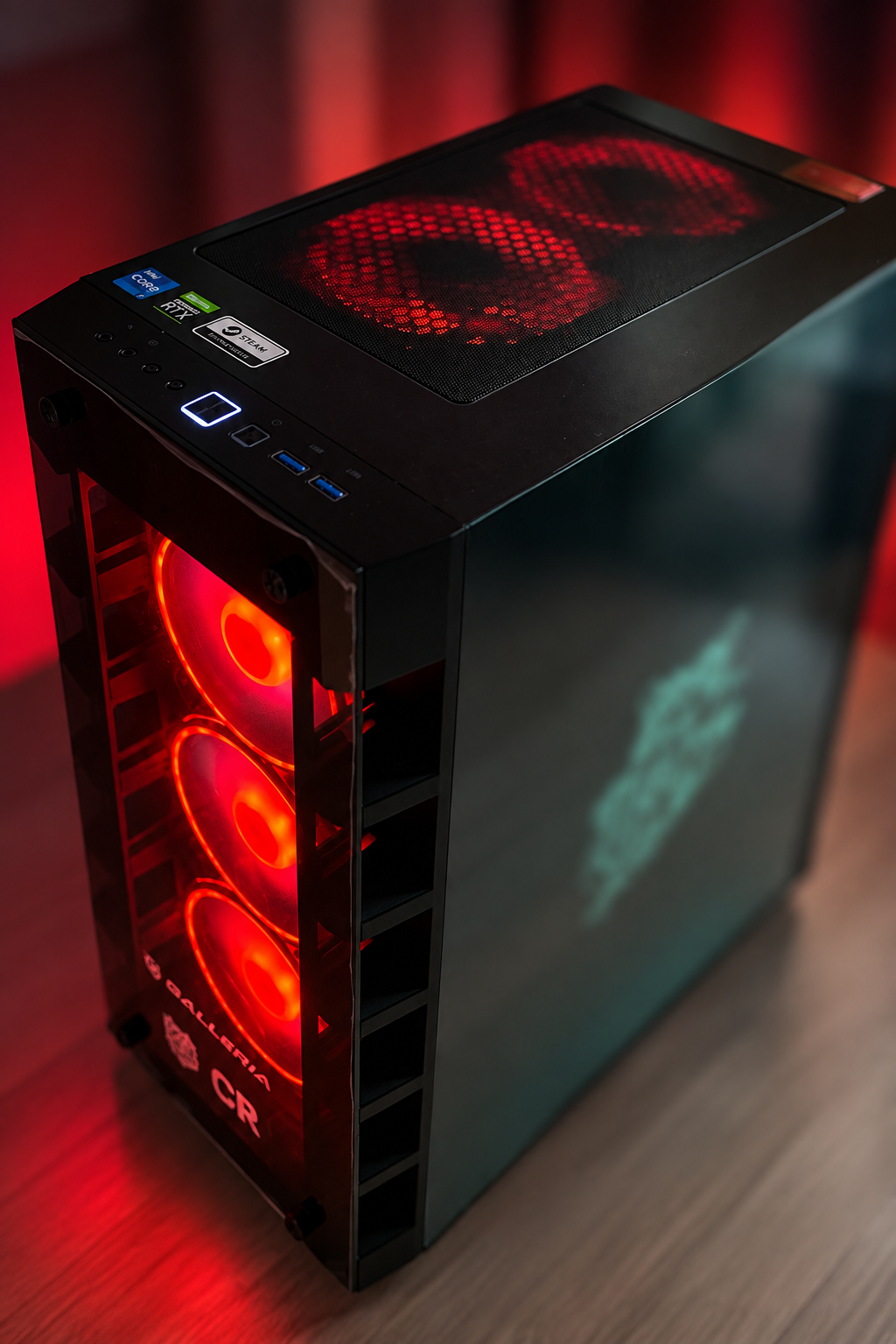
Equipment actually used in this project, with its role and constraints. Each entry is based on a research-log record. Prices and availability are not listed.
Intel
Record: How the Compute Foundation and Hardware Work Manufacturer page
NVIDIA
Record: How the Compute Foundation and Hardware Work Manufacturer page
Phase 1
Set up the virtualization layer and container platform, and established a secure remote access path. Laid the groundwork every later service runs on.
Phase 2
Gradually moved photos, files, and credentials that had been scattered across external cloud services onto the self-hosted platform, verifying integrity at each step.
Phase 3
Audited the entire exposed surface, identified unnecessary exposure, and redesigned around the principle of least privilege, building in an ongoing audit process.
Phase 4
Introduced a reverse proxy and a monitoring platform, restructuring the setup so new services can be added quickly and with low risk.
Ongoing
Continuing to expand into smart-home territory alongside day-to-day monitoring and maintenance, growing the platform through repeated cycles of planning and implementation.
The Docker-on-WSL2 runtime that runs the whole service fleet, and the hardware setup behind it, GPU included.
July 30, 2026A design that only allows external access through an encrypted, dedicated tunnel, and centralized exposure management via a reverse proxy. Specific port numbers and IPs are intentionally omitted.
July 24, 2026Photo management (Immich), files/contacts/calendar (Nextcloud), password management (Vaultwarden). How data once left in external clouds was moved onto a self-hosted platform.
August 12, 2026The Jellyfin media server setup, and GPU hardware transcoding.
August 18, 2026How Home Assistant and Mosquitto (MQTT) sit at the center of a setup connecting Nature Remo appliance control and Alexa voice integration to a self-hosted platform.
August 24, 2026Ollama running directly on the GPU, its Open WebUI front end, and SearXNG, a private search engine that never forwards queries externally.
August 5, 2026Monitoring via Netdata, ntfy, and Watchtower, plus custom scripts for backups, health checks, and update tracking.