Contents — find the section you need
Change parameters and verify
Open the panel, then press Run to load Python. You can stop execution and reset parameters. Results are computed on this device. No Python installation is required.
Local execution steps below are optional for reproducing the source results; they are not required for the browser experiment.
The experiment controls are in English.
Explore storage boundaries in the browser
The panel models storage ownership and container connections. It does not run Docker or access your files. Choose a storage location and operation, then compare the stage diagram and evidence table. Local Docker commands below are optional follow-up work.
Each run starts from the same prepared fixture: /data/note.txt contains saved in the selected store, and /tmp/note.txt contains temporary in the container's writable layer. The image has no initial files at /data; application startup creates no files. The selected mount's read-only setting is applied after preparation. At the end, the model attempts to write a different file, /data/probe.txt. That marker never recreates the original note.
The named volume uses the default project-scoped name alpha_data. The external volume is pre-existing shared_data; the bind mount always uses the same absolute daemon-host path /srv/demo-data. Both fixed sources remain the same when changing projects. No custom volume name, anonymous volumes, tmpfs, driver options, image-to-volume population, permissions beyond the read-only mount, or other containers are modeled.
“Switch project” means alpha is taken down without deleting volumes, then beta is started. “Switch back” repeats that operation to return to alpha. A new empty beta_data can hide access to the original note without deleting alpha_data. The diagram distinguishes retained data from a readable connection. The read-only control applies only to mounts and has no effect in the writable-layer case.
Try these comparisons: restart versus recreate for the writable layer; ordinary down versus down --volumes for a managed named volume; project switching versus switching back; and managed versus external volumes during cleanup. Each removal scenario includes starting the service again. Metrics are binary outcomes (1 = yes, 0 = no), not probabilities, timings, or recovery guarantees.
Rules were checked against Docker storage, volume lifecycle, bind mounts, Compose down and Compose volume names/external volumes on 2026-09-20. This is a documentation-based state model, not a live Engine conformance test. It models neither host failure nor application/database consistency. Continue to the restore Lab to examine separate recovery checks.
重新创建容器不会自动恢复其数据。请明确存储边界以及操作会移除哪些内容。这是一项基于文档的练习,已于 2026 年 9 月 7 日检查;测试未使用任何生产环境的容器或卷。
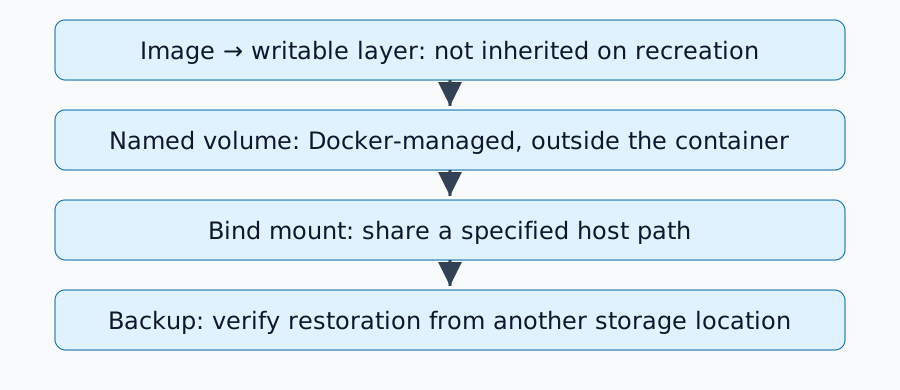
三个存储位置
| 位置 | 所有权边界 | 容器移除后 |
|---|---|---|
| 可写层 | 单个容器 | 该层中的更改将丢失 |
| 命名卷 | 独立的 Docker 管理存储 | 除非移除该卷,否则将保留 |
| 绑定挂载 | 指定的 Docker 主机路径 | 作为主机文件保留 |
停止/重启与移除/重新创建有所不同。卷文档解释了其生命周期。匿名卷具有不同的清理规则,包括与 --rm 的行为;本练习使用命名卷。
创建一次性命名卷练习
本示例假设使用 Docker Engine、Linux 容器和 alpine:3.21。记录 Docker 版本和实际下载的镜像摘要;标签可能会更改。在继续操作之前,请检查 docker volume ls 是否未使用 duskcoil-lifetime-demo:
docker volume create duskcoil-lifetime-demo
docker run --rm --mount type=volume,source=duskcoil-lifetime-demo,target=/data alpine:3.21 sh -c 'echo saved > /data/note.txt; echo temporary > /tmp/note.txt'
docker run --rm --mount type=volume,source=duskcoil-lifetime-demo,target=/data,readonly alpine:3.21 sh -c 'cat /data/note.txt; test ! -e /tmp/note.txt'
预期结果:第二个容器读取 /data/note.txt 中保存的内容,而其 /tmp/note.txt 不存在。移除第一个容器后,命名卷保持不变。第二个挂载点为只读。请勿将生产服务名称或数据替换到此练习中。
绑定挂载使用哪个主机?
绑定挂载 指的是 Docker 守护进程所在主机上的路径。远程守护进程可能无法访问本地计算机上的文件。Docker Desktop 也引入了虚拟机边界。
检查 docker inspect <container> 中的挂载点,包括类型、源、目标和读写权限。在更改应用程序设置之前,请先解决错误的 /data 挂载点。挂载点可能会遮蔽其下的现有文件;请区分缺失的数据和被其他挂载目录隐藏的数据。
阅读 Compose 清理语义
docker compose down 与 docker compose down --volumes 不同。后者还针对 Compose 中声明的命名卷;外部卷由其他方式管理。请查看 down 参考。
更改 Compose 项目名称可能会选择一个新命名的卷,导致应用程序显示为空。在假定卷已损坏之前,请检查实际名称。确认不再需要某个卷后,仅通过其特定名称删除该卷;此过程不包含大范围的卷清理。
持久化并非备份
卷将数据与容器生命周期隔离,但并不一定能防止磁盘故障或应用程序删除。请保留一份单独的副本并测试恢复功能。复制运行中的数据库文件可能会导致数据不一致:请使用应用程序支持的备份程序或适当的关机/快照条件。
仅使用镜像和 Compose 文件可能遗漏用户上传的内容和数据库。仅使用数据库可能遗漏必要的配置、密钥或兼容版本。请确认恢复后的应用程序能够实际读取其数据。
构建存储清单
对于每个服务,请记录其容器内路径、实际挂载点、所有权/权限、备份方法、恢复目标位置以及上次恢复测试日期。然后继续执行home-server restore exercise以检查是否涵盖了所有必要数据。
评论
请先登录。
暂无数据。