Contents — find the section you need
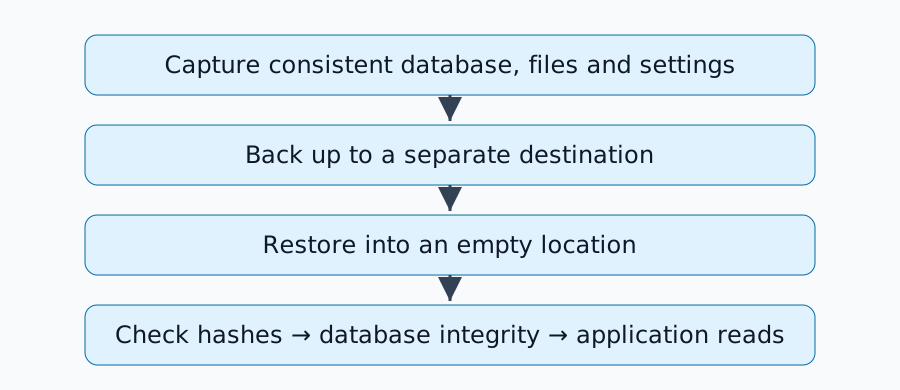
A successful backup exit code does not prove that a service can restart from the saved data. Separate file restoration, database readability and the application operations you need. Begin with an exercise that never accesses production data.
Define successful recovery
A photo service needs relationships between images and database records. Authentication may also depend on configuration and encryption keys. Define the acceptable data-loss window, RPO, separately from the acceptable recovery duration, RTO. Backup frequency and restore time are different measurements.
Run an isolated exercise
Save restore_lab.py and run python3 restore_lab.py. It uses the Python 3.12.3 standard library. Each run creates a fresh temporary directory, one text file and one SQLite record. It does not stop or delete an existing service or dataset.
The script uses SQLite's backup API to copy the database, packages it with the text file into ZIP, and restores into another empty directory. It checks SHA-256 hashes, PRAGMA integrity_check and a known SQL record. See SQLite's official backup API explanation.
file_hashes: pass
sqlite_integrity: pass
application_read: pass
scope: synthetic fixture only
All three checks passed on September 7, 2026. Here, application reading means the known SQL query, not starting Immich or Nextcloud. The printed directory contains the retained evidence. The ZIP in that temporary directory is an exercise artifact, not protection against losing the storage device.
Capture real services consistently
Ordinary copying of live database files may not preserve the consistency needed for recovery. For PostgreSQL, review the requirements of methods such as SQL dumps. Consistency between the database snapshot and referenced external files is a separate concern.
| Component | Preserve | Restore check |
|---|---|---|
| Configuration | Compose, settings and image versions | Recreate the intended setup |
| Database | Consistent dump or supported backup | Load and integrity checks pass |
| Uploads | Files and metadata relationships | Open known files |
| Secrets | Keys and authentication material | Authorized administrators can recover |
Matching hashes establish equality with the captured copy. They do not prove that the whole application was consistent at capture time.
Additional checks with restic
The following is a procedure for an environment where restic is already installed; restic was not executed in this exercise. Configure the repository and credentials separately and record restic version. Select a snapshot and restore into an empty destination.
restic snapshots
restic check --read-data
restic restore SNAPSHOT_ID --target /path/to/empty-restore
Replace the ID and path for your environment. Restoration and repository checking answer different questions. Allow for runtime and transfer costs when reading stored data with --read-data.
Keep a recovery record
Record capture time, recovery start and finish, data volume, versions, file-check results and application operations. Verify in an isolated environment before replacing production data, with outbound email and webhooks disabled. Authentication and file-reading checks turn this small exercise into a service-specific procedure for the home-server platform.
Comments
Please log in to post a comment
No comments yet.